There was a lot to unpack at Huawei’s recent launch event so if you missed it, the highlights video below sums it all up in less than three minutes. It mentions Haromony OS, Huawei Watch 3, Huawei MatePad Pro 12.6, M-Pencil updates, new Huawei MateView monitors, and Huawei FreeBuds 4.
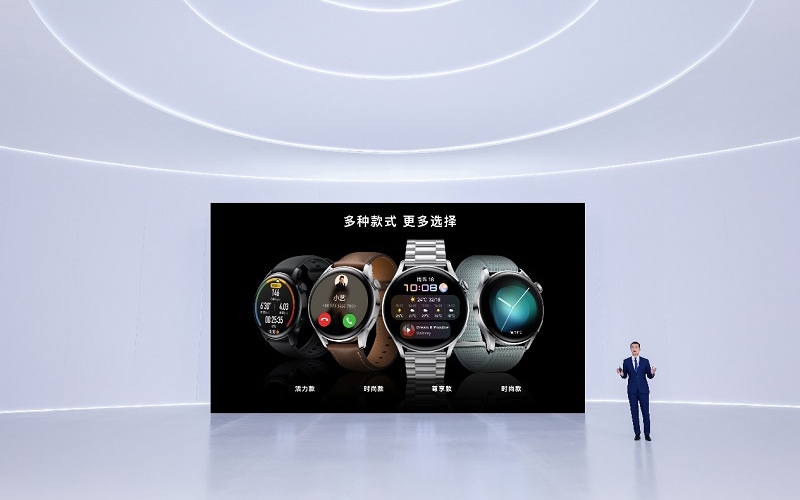
Next up are a couple of videos for the Huawei Watch 3. One that shows features and the other focuses more on the design.
The Huawei MatePad Pro is shown with the folio keyboard, M-Pencil, and demonstrates connectivity with Huawei’s Windows 10 machines. There’s also a video dedicated solely to the updated M-Pencil.
Huawei announced a MateView monitor and a MateBook GT 34-inch curved monitor.
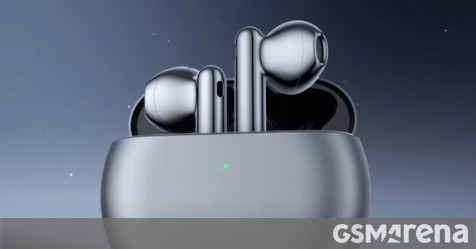
Finally, the Huawei FreeBuds 4 gets a new video that shows of its ANC features and updated touch controls.
[Shenzhen, China, June 2, 2021] Huawei launched a range of smartphones, smart watches, and tablets powered by its new HarmonyOS 2 operating system today, including a new version of the HUAWEI Mate 40 Series and HUAWEI Mate X2, the HUAWEI WATCH 3 Series, and the HUAWEI MatePad Pro.
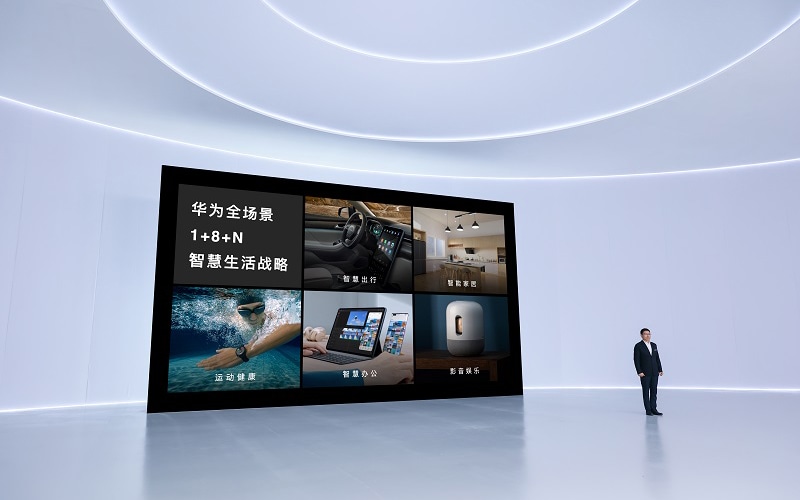
At today's event, Huawei also released the HUAWEI FreeBuds 4, its next-generation open-fit Active Noise Cancellation (ANC) wireless Bluetooth earbuds, and two high-end monitors, the HUAWEI MateView and the HUAWEI MateView GT. The company took this opportunity to announce that roughly 100 other Huawei devices – including both smartphones and tablets – will be upgraded to run on HarmonyOS 2, giving consumers access to a seamless intelligent experience across multiple devices in all different types of scenarios.
There are more smart devices in our lives than ever, but the experience they provide often isn't smart. Siloed systems tend to complicate interconnectivity and operations, which have ultimately led to a fragmented user experience.
HarmonyOS is designed to address this problem. As a next-generation operating system for smart devices, HarmonyOS provides a common language for different kinds of devices to connect and collaborate, providing users with a more convenient, smooth, and secure experience. It uses distributed technology to meet the varied needs of all types of different devices with a single system, enabling flexible deployment as needed. HarmonyOS also combines previously independent devices into a cohesive and holistic Super Device that integrates all hardware and resources to freely leverage the capabilities of its component devices based on the user's real-time needs. For developers, HarmonyOS allows cross-platform development and cross-device deployment of apps, making the development of apps across devices easier than ever before.
HUAWEI WATCH 3 Series: An independent smart assistant as powerful as your smartphone
Huawei's brand-new flagship smart watch, the HUAWEI WATCH 3 Series, redefines fashion on your wrist. Featuring a curved glass screen and 316L stainless steel case, this stylish watch comes complete with a brand-new 3D rotating crown that senses different levels of pressure and provides haptic feedback in response to user input, making the watch both comfortable to wear and easy to operate. The HUAWEI WATCH 3 Series also allows you to make and receive phone calls and listen to music using the same phone number and data plan as your smartphone.
The HUAWEI WATCH 3 Series runs on HarmonyOS 2, which allows it to integrate seamlessly with Huawei smartphones to serve as a multifunctional travel assistant. Functionality flows directly from your smartphone to your wrist, making all ride-hailing and flight information available at a glance. On the ride home from the airport, if you're taking public transit, both your watch and your phone will remind you when you're getting close to your final destination. You never have to worry about missing your stop again[1].
The HUAWEI WATCH 3 Series also serves as a professional fitness & health manager that supports more than 100 workout modes. In addition to a broad range of healthcare support options, the watch can now monitor skin temperature with a new, high-precision temperature sensor[2]. It also supports fall detection and SOS functions so users can monitor and manage their health in real time.
The HUAWEI WATCH 3 Pro features an ultra-long battery life, which lasts five days in smart mode and 21 days in ultra-long battery life mode. The HUAWEI WATCH 3, in turn, has a battery life of three days in smart mode and 14 days in ultra-long battery life mode[3].
HUAWEI MatePad Pro: A new productivity hub that breaks through boundaries for maximum creativity
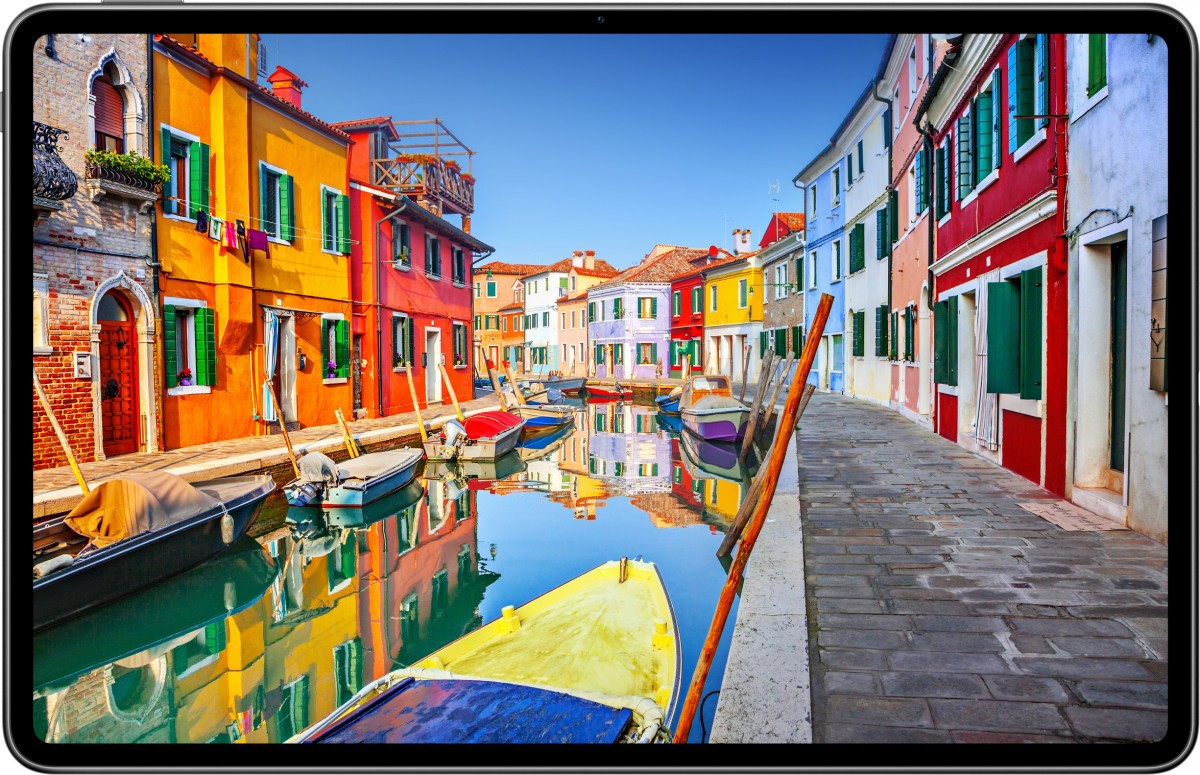
The new HUAWEI MatePad Pro features a stunning 12.6-inch OLED FullView Display with a 90% screen-to-body ratio, the highest among all tablets currently available on the market. Every display comes with a ΔE color difference of less than 0.5 for incredibly high color accuracy, delivering a crisp, color-accurate picture that is on par with professional monitors. The HUAWEI MatePad Pro also has an ultra-high contrast ratio of 1,000,000:1, and supports a DCI-P3 color gamut.
Equipped with Kirin 9000 series chipsets, the HUAWEI MatePad Pro delivers incredible levels of performance. Supported by the distributed data management and task scheduling capabilities of HarmonyOS, the tablet can work together seamlessly with smartphones and PCs to double your productivity and creativity in different scenarios, whether you're in the office or at the drawing board.
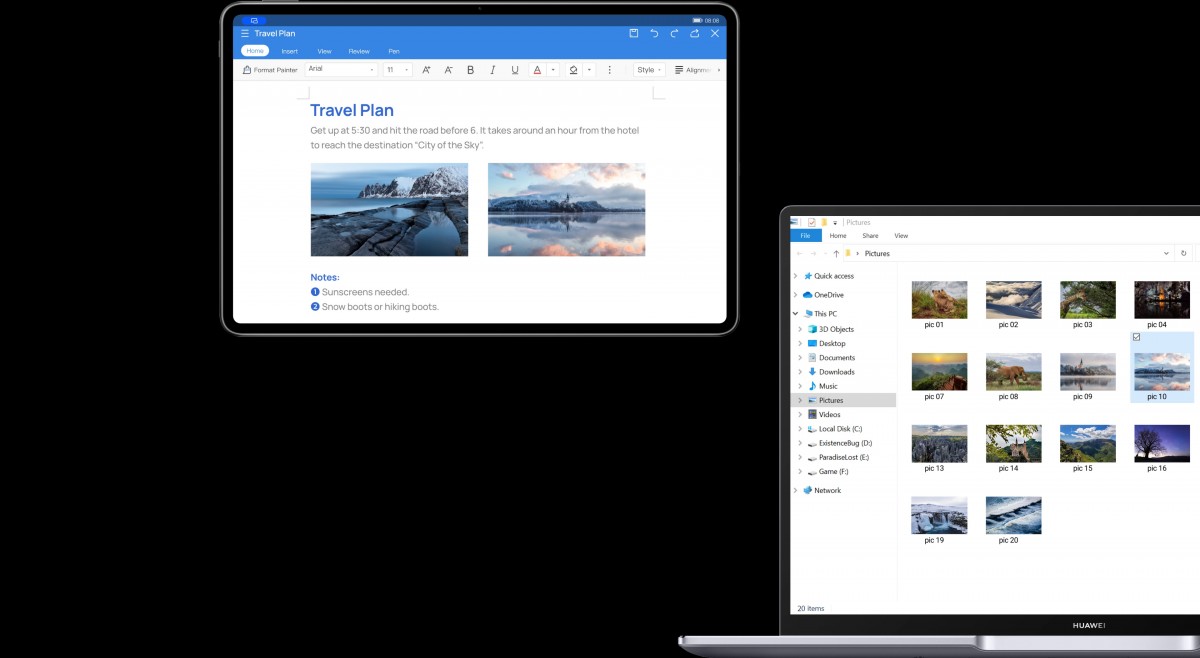
The HUAWEI MatePad Pro also supports Multi-screen Collaboration with PCs[4]. The tablet can become a drawing board in Mirror mode and a monitor in Extend mode. It also supports cross-device file dragging and dropping, delivering a more efficient and collaborative multi-device experience.
The second-generation HUAWEI M-Pencil[5] was unveiled together with the HUAWEI MatePad Pro. The new smart pen features a new platinum-coated nib for high-precision handwriting and ultra-low latency, accurately differentiating between 4,096 levels of force. The HUAWEI M-Pencil supports FreeScript, which converts handwriting in any input box into digital text in real time. In addition, intelligent interactions such as double-tap to switch, Instant Shape, and Instant Table make handwritten input more seamless and natural to fit your unique workflow.
An entirely new interactive experience: Easier to use and smarter than ever
Multi-device interaction with HarmonyOS makes working across multiple devices as simple as controlling one. The new Control Panel supports simple and intuitive connections through a drag-and-integrate feature that allows users to freely connect the devices they want based on specific scenarios.
For example, if you want to watch a movie at home late at night, all you have to do is open up the Control Panel and drag the smart screen icon to your phone icon, and the movie jumps directly from your phone to the TV. If you're wearing your HUAWEI FreeBuds 4, you can then drag the earphone icon to the phone icon, at which point the movie will play on your smart screen while rerouting its sound through your FreeBuds. This is just one example of the Super Device experience.
HarmonyOS 2's new Task Center allows apps to travel between different devices at will without installing them on each and every one, so that all functions and services are available whenever and wherever they're needed. On any device that's part of a Super Device system, you can see the tasks running on all other devices[6]. If you want a bigger display for mobile gaming, you can simply swipe up and hover to bring up the Overview Screen, and then transfer the game to your HUAWEI MatePad Pro to continue the fun.
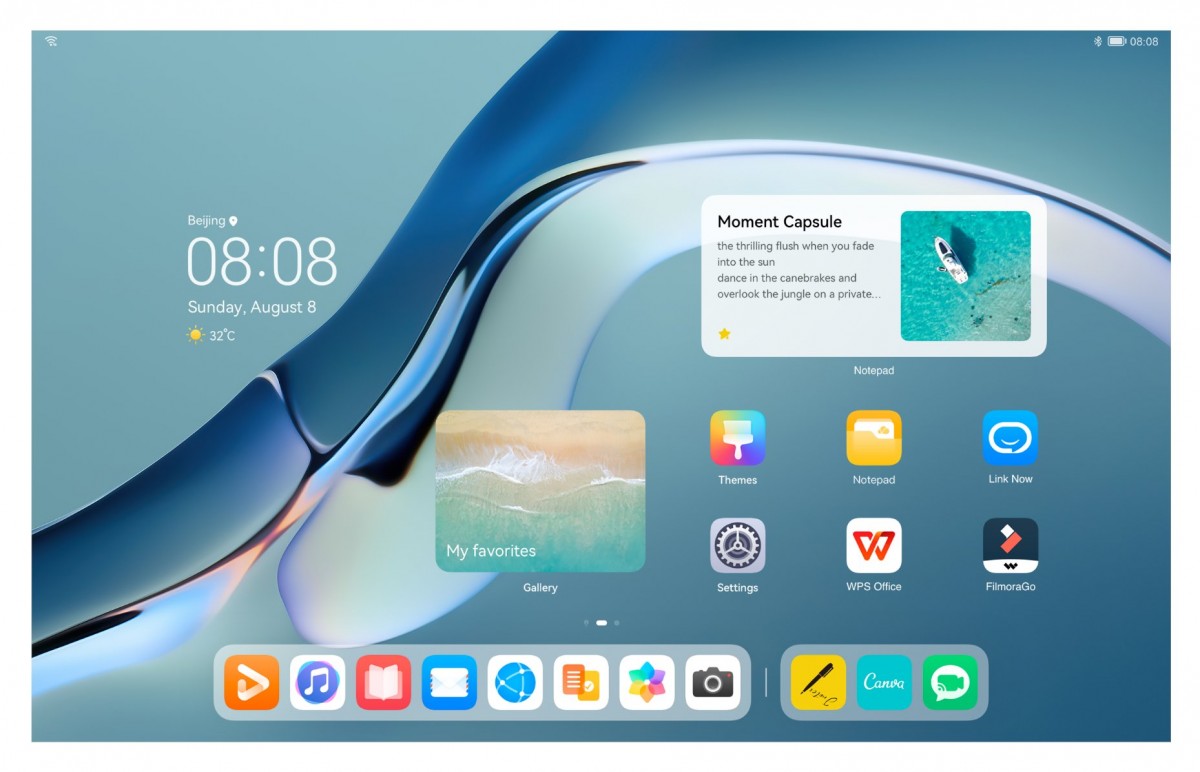
The new HarmonyOS Home Screen is more streamlined and organized than ever. You can swipe up on apps to generate Service Widgets[7] that display real-time, easy-to-access information or services without having to open the app itself. You can customize the size of the Service Widgets, tap apps and swipe up to display their widgets, and tap any vacant location on the home screen to hide them. Service Widgets can also be used to access Atomic Services, which can be easily called on and shared in the Service Center without the need to download or install anything, making it easier and more convenient to access functions like news aggregation[8].
In terms of look-and-feel, the beauty of innovative interaction lies in the aesthetic details: The specially designed HarmonyOS Sans font and natural Gravitational Animations offer a consistent user experience across all HarmonyOS devices.
HUAWEI HiLink has been upgraded to HarmonyOS Connect to equip more non-Huawei devices with smart features. Smart home devices can be connected to your mobile phone with a single tap: Tap your phone against a Midea oven that supports HarmonyOS Connect and select a recipe to start preparing your meal instantly. Keep your leftovers safe for longer with Haier refrigerators that automatically adjust their temperature based on the type of food you're storing. And get the perfect soymilk for your body with Joyoung soymilk machines that can recommend recipes based on the data in your Health app[9]. When working together, these connections can turn your kitchen into a personal health coach.
Comprehensive performance gains for more privacy and security
HarmonyOS 2 runs even more smoothly than the last generation of EMUI. A HarmonyOS 2 phone can maintain read/write speeds similar to those of a new phone after 36 months of use, even with very little storage still available on the device.
HarmonyOS 2 keeps opened apps running in the background so that your tasks are always available where you left off. You can return to the last action or page on a given app even if you have dozens of other apps open. For example, if you were on a shopping app looking at a product, then you switched to another app to send your friend a message, and then opened up your browser to search for something else, you can now return to the last page you were browsing on your shopping app without a hitch. What's more, you can enjoy a longer battery life with a HarmonyOS 2-based device. After upgrading to HarmonyOS 2, the HUAWEI Mate 40 Pro can run Game for Peace for 5.1 hours straight[10].
Huawei is committed to protecting user privacy and security. HarmonyOS inherits and further builds on the leading privacy and security technologies found in EMUI. Our core design principle is to ensure that only the right person can access the right data with the right device, ensuring the security of each access to each device, as well as the security of each act of storing, transmitting, and using data across all scenarios. When multi-device collaborative identity authentication is activated, users can only unlock their phones with a combination of facial recognition on their smartphone and a special check that ensures that the user's watch is the one that's connected to the phone.
In addition, HarmonyOS manages user data by category and protects devices by level, setting specific security thresholds for Super Devices. Only devices that meet strict security requirements can access data corresponding to their security level, making sure that users can make use of Multi-device Collaboration features with true peace of mind. HarmonyOS apps go through rigorous testing throughout development, release, installation, and use to ensure they deliver a secure experience in a clean ecosystem.
"We are surrounded by more and more smart devices these days, and are now in a world where all things are connected," said Richard Yu, Executive Director and CEO of Huawei's Consumer Business Group. "Every single one of us is a part of this fully connected world, as is every device. We look forward to working with more partners and developers to build a thriving HarmonyOS ecosystem and provide even better experiences, products, and services to our customers the world over."
To give more consumers the opportunity to experience the convenience, seamlessness, and security of HarmonyOS across all scenarios, nearly 100 Huawei devices are set to receive the HarmonyOS 2 upgrade in China, including the HUAWEI Mate 40 series, Mate 30 series, P40 series, Mate X2, nova 8 series, and MatePad Pro series. Users who want to try out the new OS sooner can submit an application at the Huawei Club or on the My Huawei app, or sign up for the HarmonyOS Experience Officer Program in any of Huawei's 66 offline experience stores in China[11].
[1] These features are provided through third-party apps, the availability of which varies from country to country. Please refer to Huawei's local official website.
[2] Only supported after OTA programming upgrade. This feature is not designed to be a medical device, and is not intended to diagnose, treat, cure or prevent any disease. All data and measurements should be used for personal reference only.
[3] All data is based on lab test results. The actual length of usage may vary depending on individual product differences, user habits, and environmental variables. For more details, see the HUAWEI WATCH 3 Series product page on Huawei's official website.
[4] This function is only supported by certain files and apps between Huawei tablets powered by HarmonyOS 2 and above and Huawei laptops with a HUAWEI PC Manager version of 11.1 and above. If you have any questions about this function when buying or using Huawei products, please contact Huawei's customer service staff.
[5] This function is only available on certain Huawei tablets powered by HarmonyOS 2 and above.
[6] The Task Center is currently available only on certain Huawei smartphones and tablets powered by HarmonyOS 2 and above.
[7] The apps and functions supported by Service Widgets are subject to actual situations. Certain apps only support Service Widgets after receiving an OTA upgrade.
[8] This news function is provided by the Sina News app, and is currently only available on the Chinese mainland.
[9] The products referred to here are the Midea S5 Mini steam oven and Joyoung Soymilk Machine DJ12R-K2S (HM). The Haier refrigerator is not yet commercially available.
[10] Data from Huawei labs. Game version: 1.13.12. Game play settings: HUAWEI Mate 40 Pro with a screen refresh rate of 90 fps with smooth images displayed.
[11] Offline experience is available in more than 30 cities across China. For more information, please visit https://consumer.huawei.com/en/ or the My Huawei app.
The Huawei MateBook X Pro gets a 2021 refresh to go head-to-head with other products in the 'luxury laptop' market, such as the 13-inch M1 MacBook Pro and the Dell XPX 15. In fact, the first version of the MateBook X Pro impressed us so much back in 2018 that we awarded it a coveted 'best in class' award and stuck it right at the top of our list of the best laptops at the time.
That sadly seems to have created some very imposing shoes to fill since, despite being impressed with this new offering, the MateBook X Pro (2021) falls flat in a few key areas. A glaring one is regional availability, with the device only available throughout China and parts of Europe at the moment, though Huawei has confirmed there are plans to make the product available in the USA through third-party retailers like Amazon - eventually.
It's important to not take our criticism on the MateBook X Pro to mean that it's a bad product though. The experience of using the sleek ultrabook was very pleasant for everyday tasks, and it took heavy workloads like a total champ thanks to its powerful hardware.
(Image credit: Future)
Our review model came with an 11th gen Intel Core i7 CPU and 16GB of DDR4 RAM, which quite happily ate its way through every spreadsheet, chrome tab and streaming app we could throw its way with very few complaints. Our benchmarks also revealed it's a capable workhorse that will happily keep pace with your daily needs, though it can't compete with similarly specced machines like the HP Spectre x360.
There are a few innovations to the design that also didn't meet expectations, like webcam being cleverly concealed within the keyboard that results in an unflattering view of your chin, and some interesting software that allows you to share data via Wi-Fi or Bluetooth, but only if you own a Huawei mobile phone.
When you also take the high price tag into account, these issues make the MateBook X Pro feel overpriced for what essentially amounts to a bang-average luxury laptop. If you care about style over features then this is still a decent purchase of course, and the premium aesthetic of this laptop outshines products that boast better functionality.
Price and availability
Spec sheet
Here is the Huawei MateBook X Pro (2021) configuration sent to TechRadar for review:
CPU: 11th gen Intel Core i7-1165G7 (Base 2.79GHz, Boost 4.69GHz) Graphics: Integrated Intel Iris Xe RAM: 16GB LPDDR4-4167 Screen: 13.9-inch (3,000 x 2,000p) touch Storage: 1TB SSD (PCIe M.2 NVMe) Ports: 2 x USB Type-C, 1 x USB 3.2 Gen 1 Type-A, 1 x headphone/microphone combi jack Connectivity: Intel Wi-Fi 6 AX 201 (2x2), Bluetooth 5.1 Camera: 720p, concealed within keyboard Weight: 2.9lbs / 1.33 kg Size: 15.51 x 8.54 x 0.57 inches / 394 x 217 x 14.6 mm
The model we reviewed is available for £1,600 / €1,900 (around $2,250, AU$3,000) though as previously mentioned, it's not currently available outside of China or Europe right now. This makes it a tricky sell as both the M1 MacBook Air and the Windows Surface Laptop 4 are subjectively better laptops at a much smaller price point, but the asking price isn't wholly unexpected for an ultrabook in the 'premium' category.
It's still pricey, but for a luxury price tag you're getting some pretty luxury (if not quirky) features. Working out if this is a suitable laptop for you will mostly boil down to how many of these niche benefits you will actually use, which could in turn justify how expensive it is. For anyone not looking to drop a hefty sum of cash on a device or look into importing a device from overseas, there are cheaper laptops available that will suit your needs.
(Image credit: Future)
Design
The design of the Huawei MateBook X Pro is absolutely where it shines, but even then it couldn't pass up raising a few eyebrows. Only two finishes are available – Space Grey and Emerald Green, which might understandably confuse you given the photos of the product dotted throughout this review clearly display a blue laptop. Apparently, this is the Emerald Green finish, which is even bluer in life than our photographs would suggest, perhaps teal at a push.
Regardless of color discrepancy, this is a gorgeous laptop. The bright color stands out against a sea of mostly silver and black products on the market, with a metallic gold Huawei logo embellished on the back that really helps the blue hue pop.
It isn't the lightest laptop in the ultra-slim category by any stretch, measuring in at 15.51 x 8.54 x 0.57 inches and weighing 2.9 pounds, but it's still perfectly portable and easy to throw into a bag. We didn't find the lovely blue coating easy to scratch either, but it would likely be best to make sure it gets some sort of protective case if you care about it not taking a beating.
The 13.9-inch 3000 x 2000-pixel display has a 3:2 aspect ratio that provides wonderfully sharp visuals, and the bezels are incredibly small. It's a real joy to watch shows on, so if streaming or watching movies on the go is a priority then this is a great choice.
The touchscreen functionality is very reactive but the screen having a gloss finish resulted in unsightly fingerprints all over the surface with even the cleanest of hands. The screen being glossy also means that using the laptop in any bright environment is a complete nightmare though, so don't expect to be working out in the garden when the sun comes out. The glare makes it impossible to use.
(Image credit: Future)
The keyboard is decent, with some soft underlighting to illuminate the keys in darker environments. The keys themselves do feel a little shallow, but still manage to have more 'click' to them than the dreaded Apple butterfly keyboard and are pleasant enough to type on without feeling spongey.
The power button also doubles as a fingerprint reader and we were suitably impressed by its reliability and speed. There was only one incident in which we had to readjust our finger position to get the sensor to work, and it quickly recognized our print on the second attempt.
Efforts have also been made to blend the top firing speakers into the design, stealthily building the vents directly into the chassis along either side of the keyboard. The audio is really impressive for such a slim laptop, if lacking a little in bass, with crisp vocals and great volume levels. The MateBook X Pro also comes with Nahimic pre-installed so you can optimize for the media you're listening to, be it music or TV/Film.
Dubbed the 'Free Touch', the Matebook X Pro's 4.5 x 3.0-inch touchpad might take some getting used to, and appears to be inspired somewhat by those found on MacBooks. The surface is sleek and doesn't create any drag, but those used to other Windows devices might need to adjust to the haptic feedback rather than a physical click.
(Image credit: Future)
If you have a Huawei mobile phone then you can also use the touchpad as a built-in NFC (Near Field Communication), allowing you to connect the devices by simply placing your phone on it like a card reader. This feature only works for Huawei phones, unfortunately, and a select few models at that.
In all this, the build quality feels very solid. The keyboard plate provides very little flex, and the chassis is made from aluminum rather than acrylic which certainly helps to justify the lofty retail price.
Just like many other ultra-slim laptops, you're not getting a lot of ports for your investment. On the left side of the device you'll find a 3.5mm headphone jack and two Thunderbolt USB-C ports, one of which is labeled up to use for charging the MateBook X Pro. On the right-hand side you'll thankfully find a USB-A port, a rare sight these days on modern laptops that means you won't be at the mercy of using a dongle if you want to connect a flash drive.
(Image credit: Future)
Performance
Benchmarks
Here’s how the Huawei MateBook X Pro (2021) performed in our suite of benchmark tests: 3DMark Night Raid: 12,724; Fire Strike: 3,694; Time Spy: 1,390 Cinebench R20: 1632 points GeekBench 5: 1,502 (single-core); 4,053 (multi-core) PCMark 10 (Home Test): 4,459 points PCMark 10 Battery Life: 10 hours 13 minutes Battery Life (TechRadar movie test): 8 hours 46 minutes
Given the MateBook X Pro comes with an 11th gen Core i7-1165G7 and 16Gb of DDR4 RAM, you're getting some fairly speedy performance. It limps behind most of its rivals in the premium laptop market, but it's unlikely you would notice for most day-to-day activities.
A good reference is the PCMark 10 home test that replicates typical tasks you would need from your laptops such as spreadsheets, conference calling and web browsing and then awards points based on how well it performs the benchmark. While the Huawei MateBook X Pro achieved 4,459 points, the HP Spectre x360 managed 4,721 and the Dell XPS 13 leads with 4,816.
The integrated Intel Iris Xe graphics are an additional benefit that could sway you over other products though, as while you certainly won't be playing the latest AAA games at 60+fps, it's powerful enough to run indie titles and low-requirement shooters.
You should have zero issues playing Fortnite or CS:GO at a playable framerate if you're sensible about the graphical settings in game. This is also reflected on the graphics benchmarks we ran, with the MateBook X Pro achieving a respectable 1,390 on 3DMark's Time Spy test.
(Image credit: Future)
Heat also wasn't much of an issue regardless of how much we threw at it. The underside got a little toasty after a period of streaming music while working with a frankly embarrassing amount of Google Chrome tabs open, but the temperature is still 'lap friendly' and the fan noise didn't become disruptive.
There was a pleasant lack of any unnecessary bloatware on the laptop too, so you're getting the most out of the 1TB of fast SSD storage. There are a couple of features like 'Huawei Share' that will likely be lost on anyone in the USA should the MateBook X Pro ever make an appearance on shelves though, given that they need a Huawei mobile phone to use. Huawei devices are very rare in the USA so it's unlikely many people will actually have one of those devices.
If you're lucky enough to have a great internet connection then you can make the most of it with the MateBook X Pro as it comes with the latest Wifi 6 and Bluetooth 5
Battery life
The battery life of the Huawei MateBook X Pro is another area that falls under the average for premium laptops, managing to trundle along for 10 hours and 13 minutes in the PCMark battery life benchmark. The TechRadar movie test came in just under that, playing a looping video for eight hours and 46 minutes, less than the 10 hours of video playback claimed possible by Huawei.
There's is a pattern emerging with many of these results in which the MateBook X Pro isn't disappointing per se until you look at what else is available for a similar (or even cheaper) price. The M1 MacBook Air manages 11 hours and 15 minutes in the same PCMark test, and generally offers a better deal than the MateBook X Pro, with the HP Spectre x360 similarly achieving 12 hours and 52 minutes.
It makes up for this slightly with how fast the device can charge. We were able to fully charge the laptop in less than two hours, with four hours of power only taking around 35 minutes. The full ten hours of battery life is also more than enough for most folk who need to work away from a power supply, but you might not be able to make it through a long haul flight if you're watching some of your favorite movies.
(Image credit: Future)
Webcam
Let's not beat around the bush here – this webcam placement is terrible. Sure, a few years back this was an ingenious design, concealing the webcam stealthily within the keyboard to free up space on the display, but in a world where conference calling has become a nearly daily activity for many of us, it's a questionable choice.
The 720p quality is grainy even in a well-lit environment, so this somehow manages to feel like both too much and too little thought went into the webcam itself. The viewing angle is incredibly unflattering, mainly capturing the user's chin and nostrils so it's hard to hold a professional meeting or presentation without staring down directly at the keyboard surface for eye contact.
You can click down to hide the webcam away, which acts as a built-in privacy switch but doesn't actually cut the call or cancel the video feed. Instead, your footage will continue, albeit in the dark.
Buy it if...
You want something stylish
Despite our gripes about how the 'Emerald Green' shade is actually blue, its a gorgeous laptop that put many other luxury devices to shame.
You have a Huawei phone
If you're already part of the Huawei ecosystem then you can really make the most out of a few additional features on the MateBook X pro
You're after a great daily use Ultrabook
This is a great product, there's no denying it. There are arguably 'better' options available, but if you want a funky office laptop or something for education and home use then this is a genuine workhorse that is sure to please.
(Image credit: Future)
Don't buy it if...
You're not confident in your appearance
The webcam angle is horrendous and will likely only be flattering if you were attractive to begin with. You may need to buy a separate dedicated webcam if you do choose to buy this.
You're on a budget
Given this is a premium product it comes with a sizable pricetag. Thankfully there are plenty of more affordable options available if you're after a new laptop.
You're in the US
You can technically import this device over to the States, but the ongoing issues between Huawei and the US government make it a little unclear whether its worth the effort to do so.
It’s a big day for Huawei with a plethora of software and hardware announcements. With HarmonyOS 2.0 now officially launched, Huawei announced its first set of tablets powered by its in-house operating system. The MatePad Pro 12.6 is a true flagship offering set to go against the likes of Samsung’s Galaxy Tab S-series and Apple’s iPad Pro line.
There’s a smaller 10.8-inch version that runs on Qualcomm’s Snapdragon 870 chipset – the first such Huawei device in a long while. The MatePad 11 is a more affordable offering targeting students with the same great software features found on the more expensive models and last year’s Snapdragon 865 SoC at the helm.
Huawei MatePad Pro 12.6 and 10.8
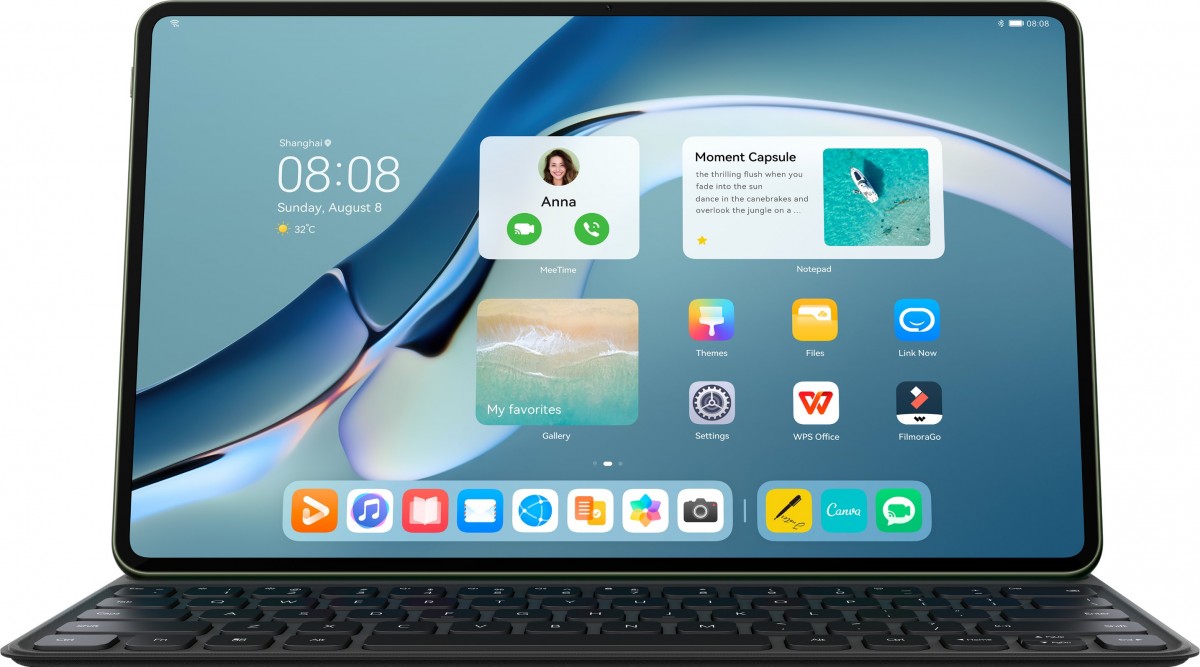
The new MatePad Pros bring us our first glimpse into HarmonyOS 2.0 for tablets and with the available large screen real estate, Huawei made sure to incorporate some multi-task friendly changes. The home screen is not just a cluster of apps but rather a desktop-like experience with a separate dock and widgets, control panel and a focus on reachability that shifts all in-app function bars to the side.
Huawei is bringing enhanced mouse support throughout the OS with live app previews further reinforcing the desktop-like experience. Multi-screen collaboration is making a return here allowing you to mirror you Huawei phone’s display on the MatePad to drag and drop files, answer calls or type away your messages.
Mirror mode goes a step further this year by allowing you to link the tablet to compatible Windows-powered Huawei laptops. Users will be able to use the tablet as a standalone drawing device in apps like Photoshop or even use the MatePad Pro’s display as a secondary monitor to spread their workflow.
Huawei Multi-screen collaboration
Shifting to the hardware side, MatePad Pro 12.6 comes with a 12.6-inch OLED displays with a 2560x1600-pixel resolution, albeit at standard 60Hz refresh rate. The 10.8 has an IPS LCD that refreshes at 120Hz of the same resolution.
Huawei incorporated the selfie cam in the middle of the side bezel which lends a more traditional laptop-like feel during video calls.
The panel supports HDR 10 content playback and covers the entire DCI-P3 color gamut. You also get eight speakers tuned by harman/kardon and four microphones for voice pick-up at up to 5-meter distances.
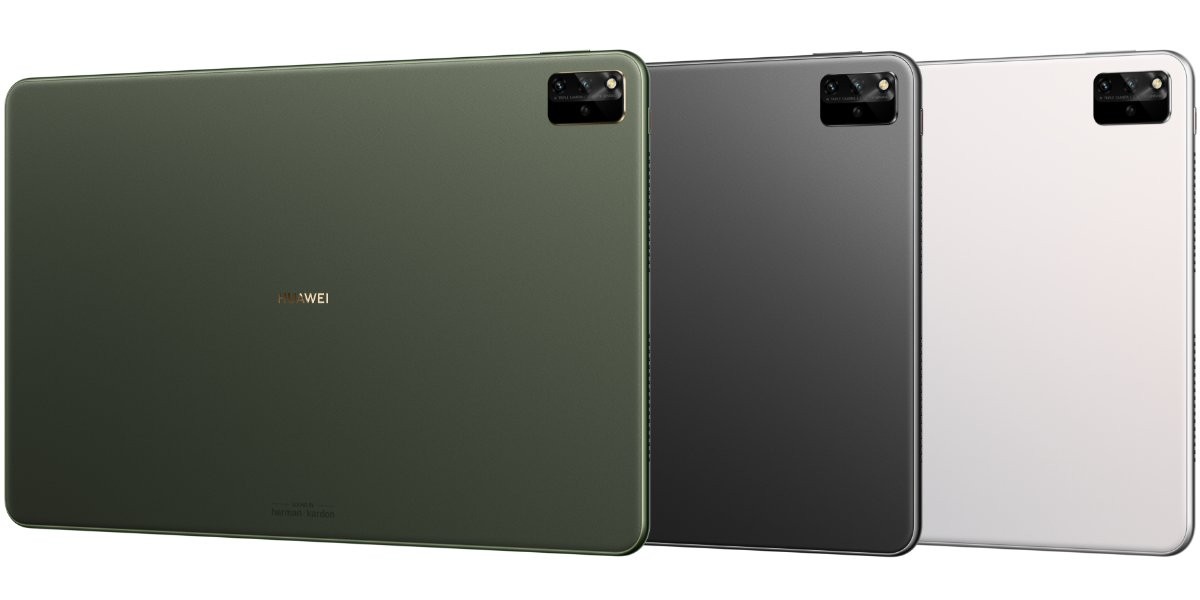
Huawei’s in-house Kirin 9000E chipset sits at the helm of the larger 12.6-inch model while the smaller 10.8-incher gets a Snapdragon 870. Both models get 8GB of RAM and either 128GB/256GB of storage. There are three cameras on the back with a dedicated 3D depth sensor.
Huawei claims up to 14-hours of mixed usage on a single charge with MatePad Pro 12.6 thanks to the massive 10,000 mAh battery. You also get 40W fast wired charging, 27W wireless charging and 10W reverse wireless top-ups. The 10.8-inch version gets a 7,250 mAh battery. Both models support Huawei’s new M-Pencil stylus and smart magnetic keyboard.
The new MatePad Pros comes in gray, green and white colors. The MatePad Pro 12.6 will retail for € 799 in Europe. Availability and pricing for the 10.8-inch model and other regions will follow.
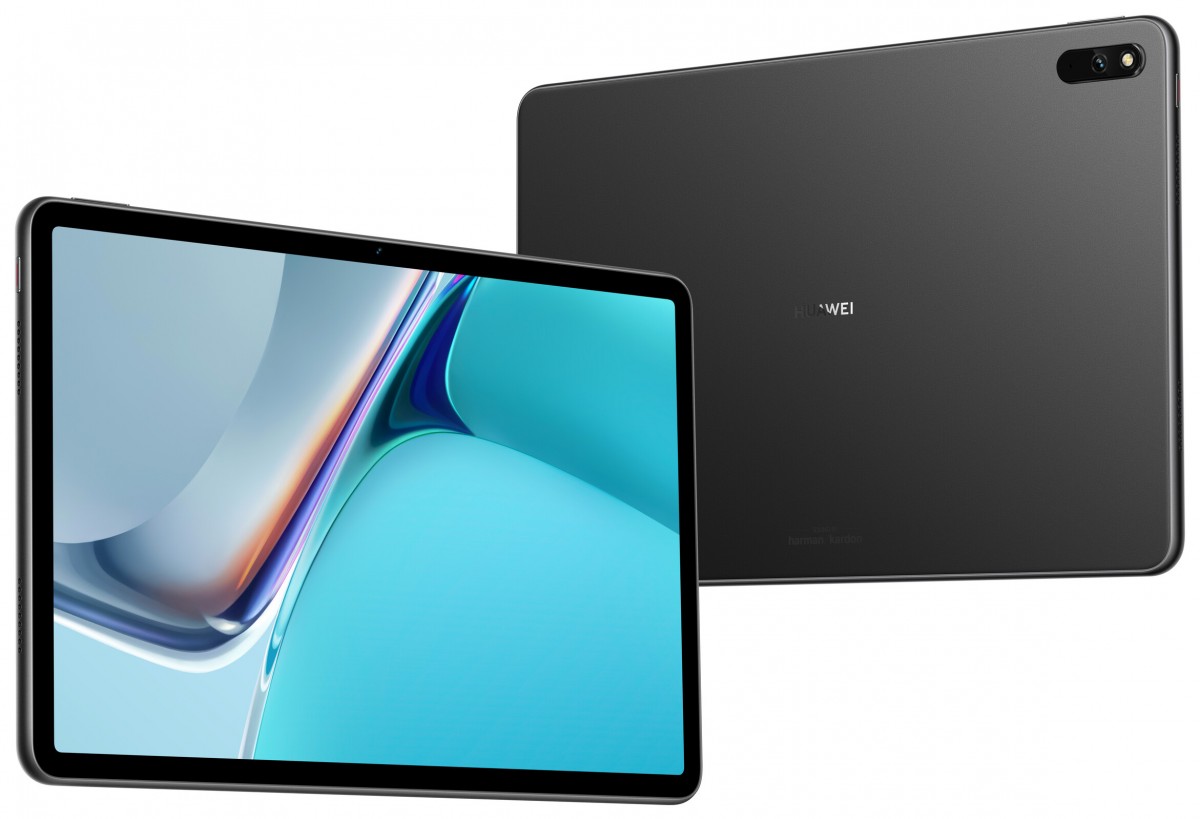
Huawei MatePad 11
The non-Pro MatePad 11 gets a 10.95-inch LCD panel which again packs a 2,560 x 1,600 resolution and refreshes at 120Hz. There’s a quad speaker setup with the same harman/kardon sound tuning alongside four microphones.
Huawei opted for the older Snapdragon 865 here which should still deliver snappy performance. You get 6GB RAM and 128GB storage here. The battery is listed at 7,250 mAh and sports 22.5W fast charging. The tablet is also compatible with the new M-Pencil and has its own smaller smart keyboard.
MatePad 11 will retail for €399 in Europe. Further availability details will be announced later on.
China's Huawei Technologies (HWT.UL) launched its Harmony operating system for smartphones on Wednesday, looking to recover from U.S. sanctions that have hobbled its handset business.
Huawei will start rolling out HarmonyOS on selected smartphone models, offering users the chance to switch from the current operating system based on Google's Android platform.
The use of HarmonyOS means the company will no longer be wholly reliant on Android. U.S. sanctions banned Alphabet Inc's (GOOGL.O) Google from providing technical support to new Huawei phone models and access to Google Mobile Services, the bundle of developer services upon which most Android apps are based.
Rather than being a like-for-like replacement, Huawei is billing HarmonyOS as an 'Internet-of-Things' platform, aimed at operating on and connecting other devices such as laptops, smartwatches, cars and appliances.
The company unveiled several new products using HarmonyOS, including a tablet, a smart watch and a stylus, during a video launch from the company's headquarters in Shenzhen.
The presentation ended with a teaser for the flagship P50 phone, whose spring launch was delayed "for reasons that everyone is aware of," said Richard Yu, the CEO of Huawei's Consumer Business Group.
Huawei is aiming to have HarmonyOS on 200 million smartphones and 100 million third-party smart devices by the end of the year, said Wang Chenglu, president of Huawei Consumer Business Group's software department, who has led Huawei's efforts to develop HarmonyOS since 2016.
Wang spoke at a media roundtable a day earlier and his comments were embargoed until Wednesday.
China's leading telecommunications equipment maker found itself on a U.S. trade blacklist in May 2019 due to national security concerns. Huawei has repeatedly denied it is a risk.
A staff member holds Huawei's new 5G Mate X2 foldable phone at the Mobile World Congress (MWC) in Shanghai, China February 23, 2021. REUTERS/Aly Song/File Photo
The ban put Huawei's handset business under immense pressure. Once the world's biggest smartphone maker, Huawei is now ranked sixth, with a 4% market share in the first quarter.
The presentation did not feature any new smartphones, although a company press release said two older high-end models would be re-released.
The company is looking into providing upgrades for some components like batteries for users with older phones, Yu said.
But Wang said the company was looking beyond smartphones with HarmonyOS. He said the smartphone market had plateaued and smartphones remained the dominant device in people's lives largely because most developers had few other platforms to develop for.
Instead, there was a need for a system to bridge the gap between devices, Wang said.
"The problem with existing operating systems is that devices can't be connected easily," with users often having to download separate apps to get things to connect, Wang said.
"But Harmony can enable devices to be connected to form a super device. It will work as one file system, literally one device," Wang said.
Wang said he would welcome other smartphone makers adopting HarmonyOS, but added Huawei sees big opportunities in working with makers of non-smartphone devices.
Will Wong, an analyst at IDC, said it was not essential for Huawei that other smartphone makers adopt HarmonyOS.
"(But) for Huawei to achieve its ambition, it will be important to get other electronics brands and even automakers onboard for the OS, and China provides a favourable market ecosystem to achieve this," said Wong.
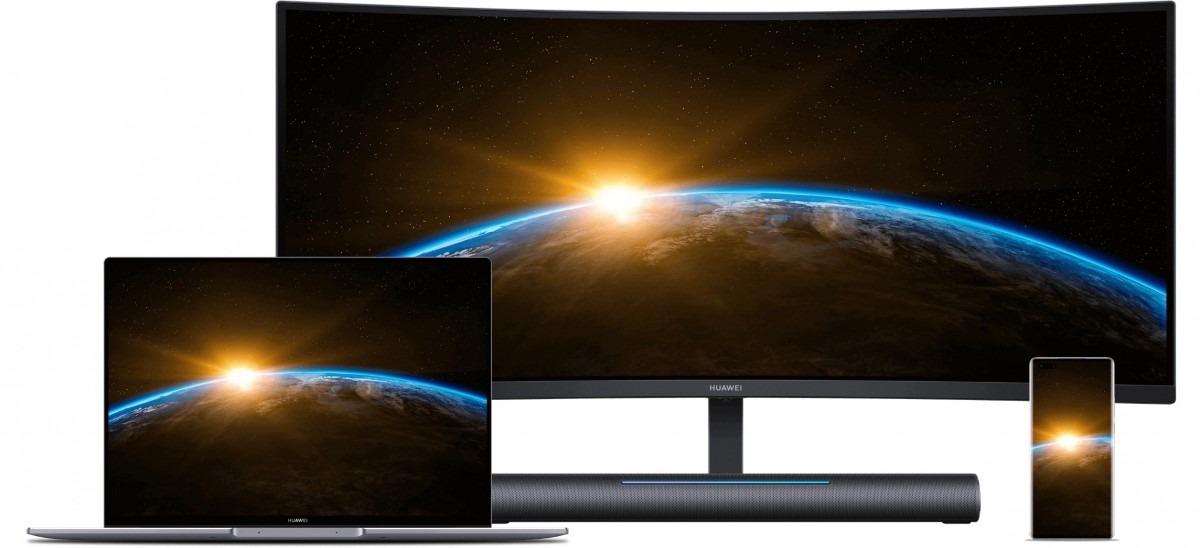
Huawei unveiled a couple of MateView-branded monitors in China recently, now the company is launching them in multiple regions around the world. One is a curved gaming monitor, the other is a flat and optimized for productivity.
Huawei MateView GT
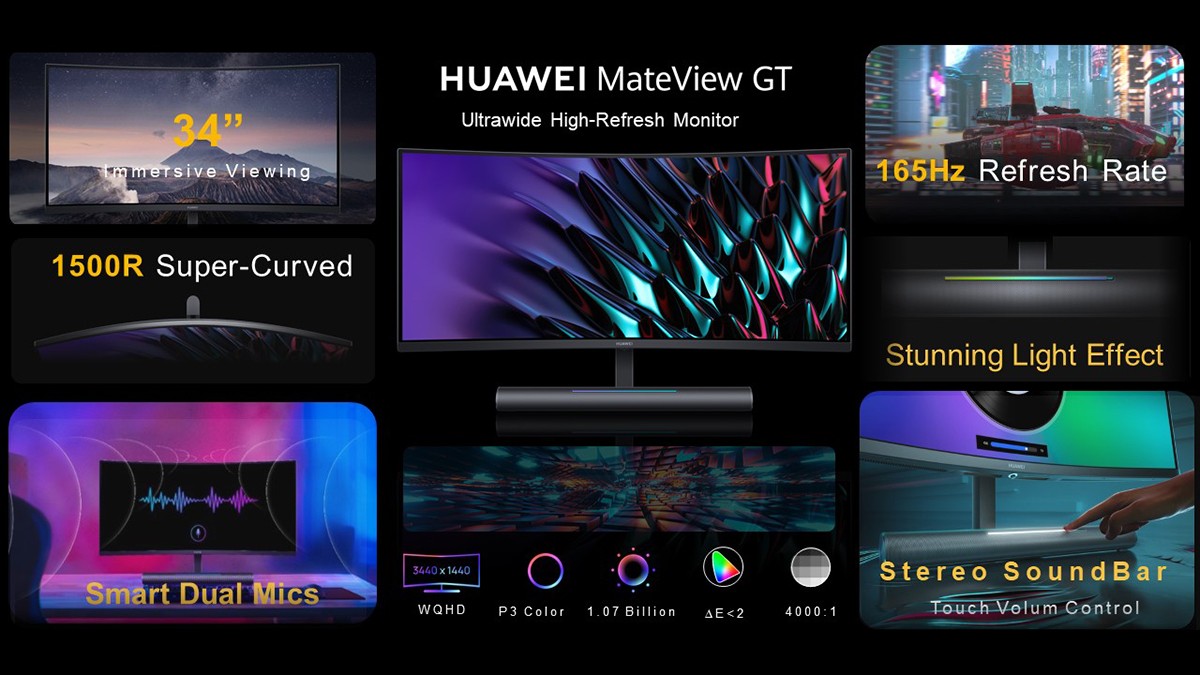
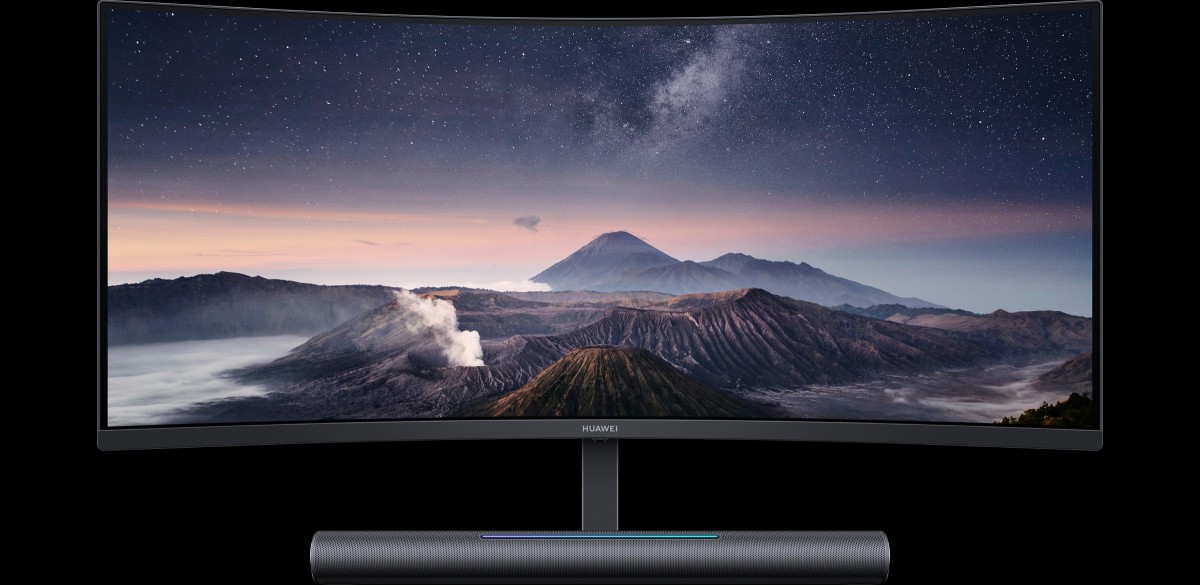
This is Huawei’s first gaming monitor and it is also optimized for multimedia, so you can do video editing on it. It has a 34” LCD panel with 21:9 aspect ratio (3,440 x 1,440 px resolution) and a curvature of 1500R.
It has 165Hz refresh rate and gaming features like Crosshairs and Dark Field Control (it crushes overexposed and dark areas to help you spot your opponents more quickly). The display promises 350 nits of typical brightness and 4,000:1 contrast ratio.
Image quality is pretty solid with HDR10 support, 90% DCI-P3 coverage and 121% sRGB coverage. The panels are calibrated to deltaE < 2 (for P3, if you use the sRGB color space then deltaE is below 1).
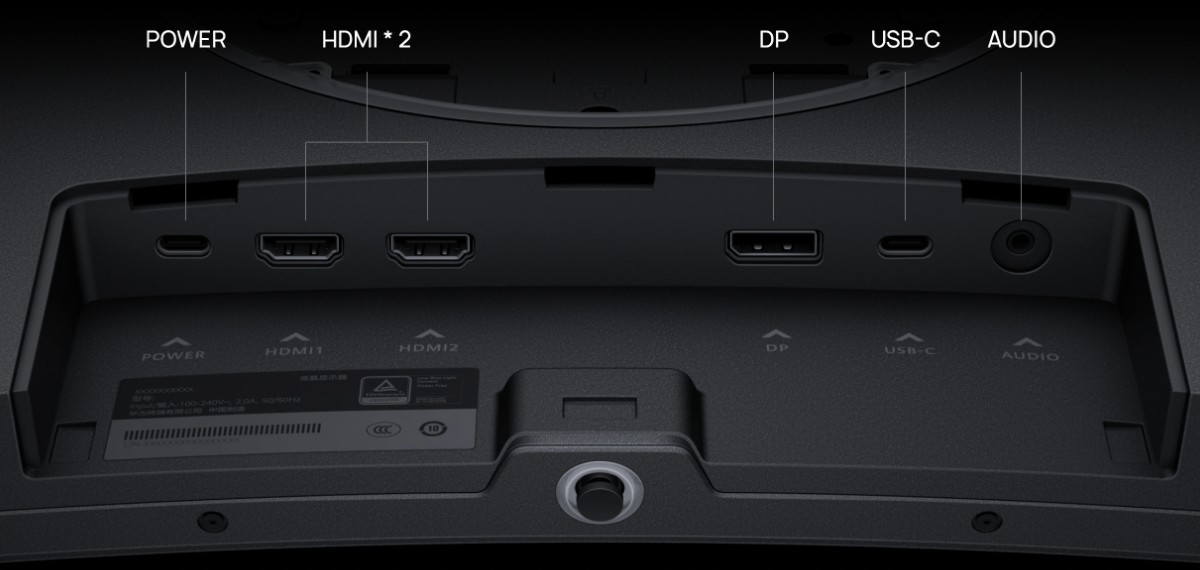
165Hz at 1440p isn’t easy to stuff down a cable, so the monitor comes with a DisplayPort 1.4. For lower refresh rates you can also make use of the two HDMI 2.0 ports and there’s fully-featured USB-C port, plus another Type-C port used as power input.
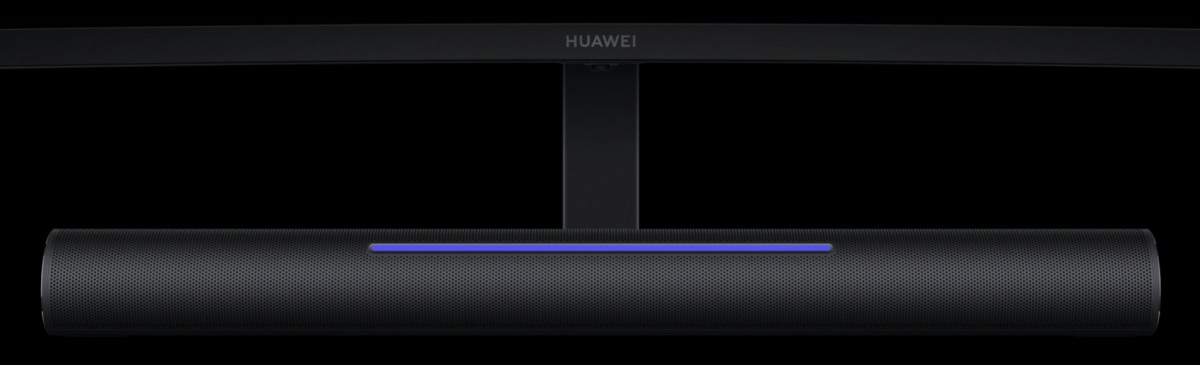
The monitor has a built-in soundbar with stereo speakers, 2x 2.5W. There are also two mics, so you can use it for voice chat (or you could plug in a headset into the 3.5 mm combo jack). The soundbar has an RGB-backlit touch control that can be used to adjust the volume, but also offers customizable lighting effects.
The stand height can be adjusted by 110 mm (4.3”) and you can tilt the display -5º-20º. There’s a standard VESA100 mount too. In the box you’ll find a powerful 135W adapter (enough for the monitor, but also to power devices hooked up to the USB-C port) and several cables.
The Huawei MateView GT will be available in Western, Central and Eastern Europe, the Nordics, Russia, Japan, the Asia-Pacific region, Latin America, the Middle East, Africa and other regions.
Huawei MateView
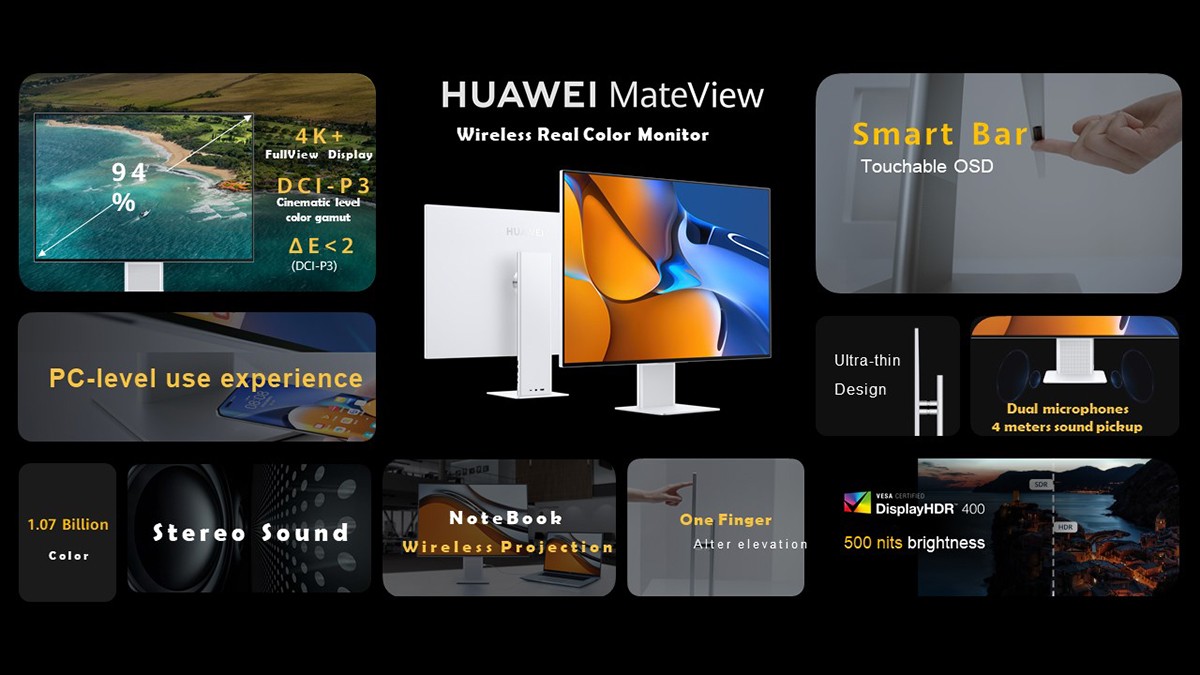
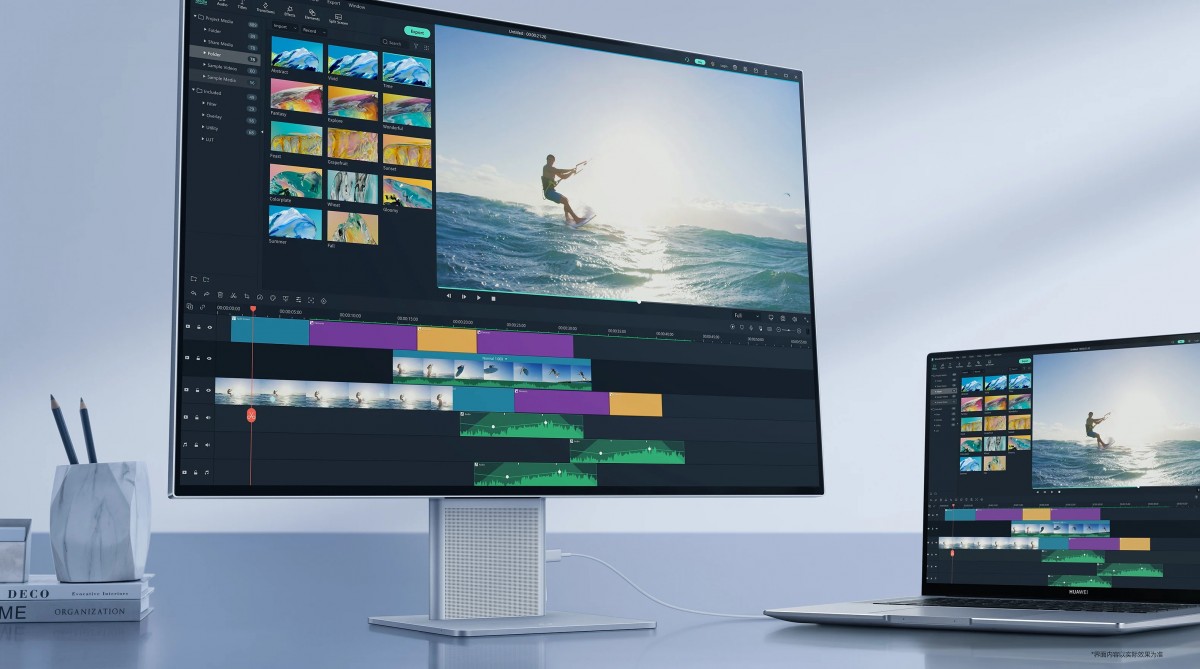
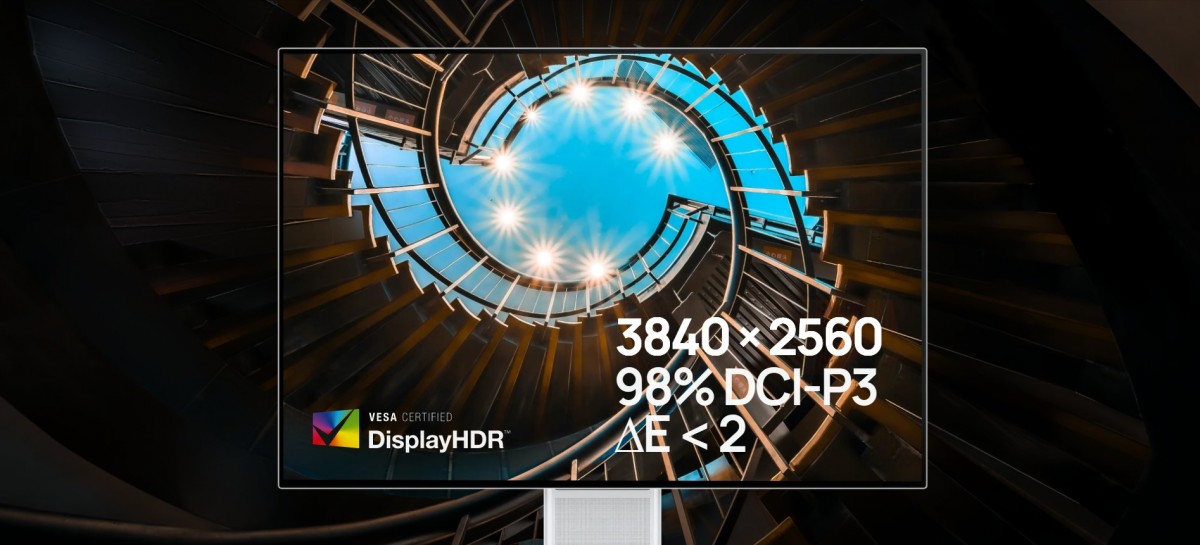
If you’re not running a gaming YouTube channel, the MateView may be the better monitor. It has a flat 28.2” IPS LCD with 3:2 aspect ratio and a higher resolution to boot, 3,840 x 2,560 px.
Besides being sharper, it is also brighter at 500 nits (typical), with a DisplayHDR 400 certification and flicker-free DC dimming. Contrast is not as good, though, 1,200:1. Still, this one also supports 10-bit color depth, covers 98% of DCI-P3 and 100% of sRGB. These panels are calibrated to deltaE < 2 (or if you use sRGB, deltaE < 1).
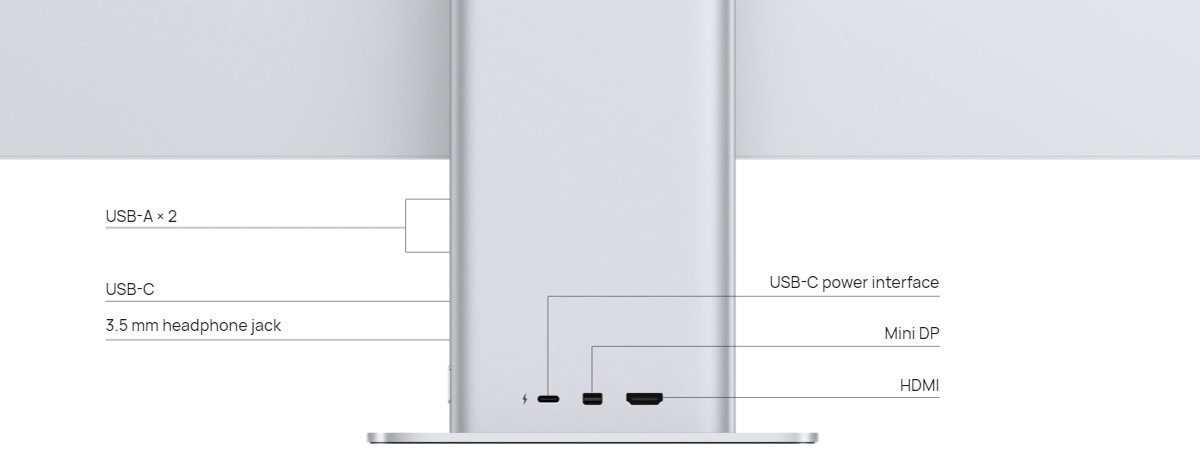
This monitor can be the central hub of your desk. It has a USB-C with video in support and 65W charging, meaning you can plug in your phone or laptop with a single cable. There is an optional OneHop wireless connection (this only works with certain Huawei phones with Kirin 980 or later and EMUI 12.0 or later), so you can mirror your phone's screen wirelessly.
To hook up a desktop, you also have access to a mini DisplayPort 1.2 and an HDMI 2.0 port (note: HDMI 2.0 is limited to 50 Hz at full resolution, use DisplayPort or USB-C if you want to run at 60 Hz). The monitor has two USB-A 3.0 ports as well and if you have a keyboard and mouse plugged in, it could act as a KVM switch.
This model has better speakers too, 2x 5W, in addition to two microphones that can pick up your voice from as far as 4m (13 ft). Or you could use the 3.5 mm combo jack with a wired headset.
The monitor comes with a 135W power adapter, which is what makes it possible for the USB-C port to output 65W.
Huawei is launching its own HarmonyOS mobile operating system on its handsets as it adapts to losing access to Google mobile services two years ago after the U.S. put the Chinese telecommunications company on a trade blacklist
ByZEN SOO AP Technology Writer
June 2, 2021, 8:54 AM
• 4 min read
HONG KONG -- Huawei is launching its own HarmonyOS mobile operating system on its handsets as it adapts to losing access to Google mobile services two years ago after the U.S. put the Chinese telecommunications company on a trade blacklist.
Huawei was expected to announce the launch of HarmonyOS on Wednesday for various devices including smartphones and tablets.
The company is still cut off from essential American technologies including Google’s mobile services and some computer chips needed to power its devices after the U.S. put it on an entity list, saying Huawei might aid China’s espionage efforts — an accusation the company vehemently denies.
Huawei’s inclusion on the entity list restricts American companies from doing business with the Chinese telecommunications equipment and smartphone maker. The blacklist has been a critical blow for Huawei, which has relied on essential technologies from the U.S.
Once the world’s largest smartphone maker, Huawei fell out of the top five list globally last year, nudged aside by South Korea’s Samsung, according to data from market research firm Canalys.
Other Chinese smartphone makers such as Xiaomi, OPPO and Vivo have since overtaken Huawei in terms of global sales. Huawei currently ranks seventh globally and third in China, following a 50% drop in smartphone shipments in the first quarter of this year compared to last year.
Last November, Huawei also sold its budget Honor smartphone brand as it sought to cushion the impact of U.S. sanctions.
Huawei’s HarmonyOS smartphone rollout is a workaround for its lack of access to Google services, especially for smartphones that it sells abroad. While handsets that were sold prior to Huawei's blacklisting continue to run Google services, its newer devices will have no access to Google's mobile services or updates.
To solve this problem, Huawei launched its own Huawei Mobile Services (HMS) platform that lets developers launch apps for Huawei devices. In March, Huawei said that over 120,000 apps were now on its app store and using HMS, although it is still missing apps popular overseas such as Instagram, Twitter and Facebook.
Owners of Huawei phones who have no access to Google services won't be able to download apps such as Gmail or YouTube. Instead, HMS offers shortcuts to the mobile sites of such services.
Google is blocked in China, so Huawei users in China are unlikely to be affected by this. But the lack of access to Google services makes Huawei a less attractive choice for overseas users, who are used to watching videos on YouTube or using the Gmail email app, analysts say.
Attempts to popularize Huawei's new HarmonyOS may be an uphill task. Attempts to challenge dominant operating systems have usually fallen flat, such as Microsoft’s Windows Phone operating system and Samsung’s Tizen operating system. It is unpopular in the smartphone world but is used in smartwatches.
“It’ll be interesting to see what the Harmony OS user interface looks like and whether there really are some features that give it a leg up with some users, but I’m not holding my breath,” said Bryan Ma, vice president of client devices at market research firm IDC.
“It still comes back to all the discussion that’s been happening over the past couple years which is, if there’s no Google services, that’s a big problem,” he said.
However, Huawei’s move to a mobile operating system that can run on smartphones could give it a new business model of distributing it to other smartphone vendors in China that might be keen to earn revenue by listing their apps on Huawei’s mobile services.
“HarmonyOS might be quite appealing to vendors who don’t have the resources to build their own OS,” said Nicole Peng, vice president of mobility at market research firm Canalys.





/cloudfront-us-east-2.images.arcpublishing.com/reuters/GEJ6GHZUJNKHTMKGLWIOWPVEGY.jpg)